RV Internet Doesn’t Have to Be Complicated: What Do You Actually Need?
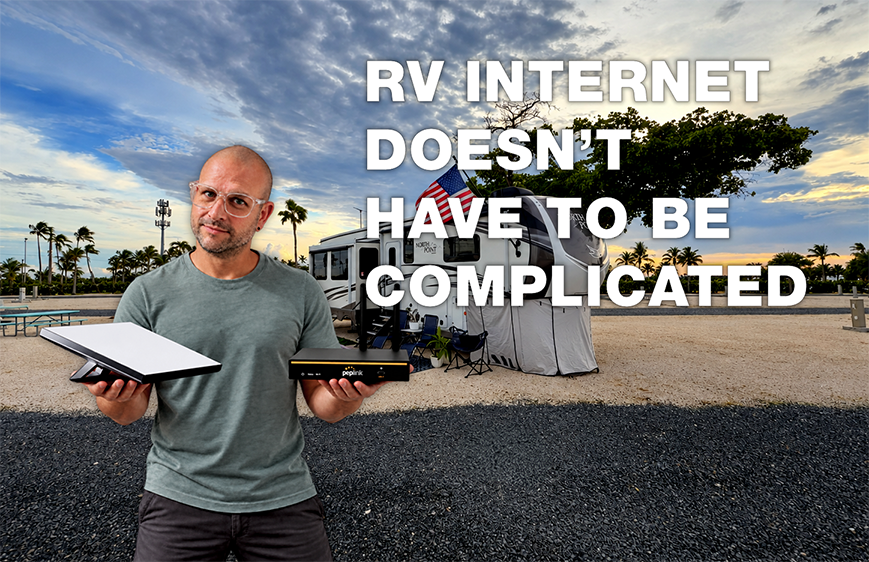
Start researching internet for an RV and things can get confusing very quickly.
Starlink. Hotspots. Cellular routers. Wi-Fi extenders. Cellular boosters. Campground Wi-Fi. Different carriers. External antennas.
Before long, you've gone from wondering how you're going to watch Netflix at the campground to reading conversations that sound like they're meant for someone working in an IT department.
Here's the good news:
RV internet doesn't have to be that complicated.
You also don't need to become a networking expert just because you bought an RV.
But before we talk about what kind of internet setup might work best for you, we need to clear up a few things that cause a lot of confusion.
Some of the advice shared online assumes people already understand how all of this works.
Many don't.
And that's completely normal.
Most people have never had a reason to think about how the internet gets from somewhere outside their home to a Fire Stick, television, tablet or laptop.
In an RV, suddenly that matters.
First, Wi-Fi and Internet Are Not the Same Thing
This is probably the most important thing to understand.
We regularly see conversations in RV groups that go something like this:
"My Fire Stick won't connect to the internet."
Someone responds:
"Just connect it to Wi-Fi."
Then the original person says:
"It is connected to Wi-Fi, but it's still not working."
That person may be absolutely correct.
You can be connected to Wi-Fi and still have no internet.
Think of Wi-Fi Like an Invisible Cable
Wi-Fi is simply the wireless connection between your device and a nearby network.
Your Fire Stick connects to a router.
Your laptop connects to a router.
Your phone connects to a router.
That connection between the device and the router is Wi-Fi.
But the router still needs a way to reach the actual internet.
That internet might come from:
Your phone's cellular connection
A dedicated cellular hotspot
A cellular router
Starlink
Campground internet
Cable or fiber internet at home
If that outside internet connection stops working, your device may still say:
Connected to Wi-Fi
But Netflix won't load.
Google won't load.
Facebook won't load.
Your device successfully connected to the network.
The network simply doesn't have a working connection to the internet.
That's why saying "connect it to Wi-Fi" doesn't always solve the problem.
Here's a Simple Way to Picture It
At home, your connection might look something like this:
Cable or Fiber Internet → Router → Wi-Fi → Fire Stick
In an RV using cellular internet:
Cell Tower → Hotspot or Cellular Router → Wi-Fi → Fire Stick
Using Starlink:
Starlink Satellites → Starlink Equipment → Wi-Fi → Fire Stick
At a campground:
Campground Internet → Campground Network → Wi-Fi → Fire Stick
The last part is always similar.
Your device connects to something.
What changes is how that equipment reaches the internet.
Once you understand that, RV internet becomes a whole lot easier to follow.
Strong Wi-Fi Doesn't Always Mean Fast Internet
Here's another common misunderstanding.
Let's say your phone shows full Wi-Fi bars.
That means you have a strong connection to the nearby Wi-Fi equipment.
It does not automatically mean the internet behind that connection is fast.
This is especially important with campground Wi-Fi.
We've tested campground Wi-Fi at different places just for giggles and science.
Most of the time, it hasn't been great.
Think of campground Wi-Fi like walking into a busy coffee shop.
You connect to the Wi-Fi along with everyone else.
Now imagine dozens or even hundreds of people trying to use that same connection at the same time.
Phones.
Tablets.
Laptops.
Smart TVs.
Fire Sticks.
Streaming devices.
Everyone is sharing the available connection.
During quieter times, it may work reasonably well.
Then evening rolls around.
Everyone comes back to their RV.
People start streaming Netflix, watching YouTube, checking social media and browsing the internet.
Suddenly everything slows down.
You might still have excellent Wi-Fi signal.
The problem isn't necessarily the connection between you and the campground's network.
The campground's actual internet connection may simply be overwhelmed.
A Wi-Fi Extender Won't Fix Slow Internet
This is another piece of advice we see shared often.
Someone says their campground internet is slow and another person recommends a Wi-Fi extender or booster.
Sometimes that can help.
But only if the problem is actually weak Wi-Fi signal.
Let's say the campground's Wi-Fi works fine near the office, but the signal barely reaches your campsite.
A Wi-Fi extender may help you connect to that distant network.
That's what it is designed to do.
Now imagine you walk directly into the campground office, connect your laptop to Wi-Fi, have a perfect signal and Netflix still buffers.
A Wi-Fi extender isn't going to fix that.
You're already connected perfectly.
The actual internet behind the Wi-Fi is slow.
Improving your Wi-Fi signal would just give you a stronger connection to the same slow internet.
That's an important difference.
Campground Wi-Fi Is Better Viewed as a Bonus
We would never personally build our internet plan around campground Wi-Fi.
That doesn't mean it's useless.
It may work perfectly fine for:
Checking email
Browsing websites
Looking up restaurants
Checking directions
Using basic apps
Scrolling social media
Streaming is where things may become more frustrating.
You could make it halfway through a movie and suddenly see the buffering circle.
Then it plays again.
Then it buffers again.
For some people, that's perfectly acceptable.
For others, it completely ruins the movie or TV show because it constantly interrupts what they're watching.
That's why we consider campground Wi-Fi a bonus connection, not something we depend on.
If it works well, great.
If it doesn't, we're not surprised.
Public Wi-Fi Can Have Another Problem
Have you ever connected to Wi-Fi at a hotel, airport or coffee shop and immediately gotten a webpage asking you to accept terms or enter a password?
That's commonly called a login or captive portal.
Campgrounds sometimes use these too.
On your phone or laptop, that's usually pretty easy.
You connect.
The webpage opens.
You enter whatever information they want.
You're online.
Streaming devices can sometimes make that process more difficult.
A Fire Stick or smart TV may connect to the Wi-Fi network but have trouble displaying the webpage needed to finish the campground's login process.
Once again:
Connected to Wi-Fi does not always mean connected to the internet.
That's why telling someone to "just connect the Fire Stick to campground Wi-Fi" may not be enough information.
So What Should You Use?
Now that we understand the basics, we can actually talk about equipment.
And this is where things become much simpler.
The best internet setup isn't based on what someone else has.
It's based on what you need internet to do.
The Weekend Traveler: Start With What You Already Have
Let's say you take your RV out occasionally.
You want to:
Check email
Browse the internet
Use social media
Look up restaurants and attractions
Stream occasionally
Use maps and travel apps
You may not need to buy anything.
Your phone's hotspot may be enough.
A phone hotspot simply takes the cellular internet your phone already receives and shares it with another device over Wi-Fi.
So your connection looks something like this:
Cell Tower → Your Phone → Wi-Fi → Laptop or Fire Stick
Simple.
If that works for how you travel, there's no reason to make things more complicated.
The Frequent Traveler: A Dedicated Cellular Connection
If you're traveling more often, streaming regularly or connecting several devices, you may eventually get tired of using your phone as the internet connection for everything.
That's when a dedicated hotspot or cellular router may make sense.
Think of it like having another device whose primary job is providing internet to your RV.
Instead of your TV, laptop and tablet depending on someone's phone, they connect to your RV's cellular equipment.
The important thing to remember is that cellular internet still needs cellular service.
If you're somewhere with strong service, it can work extremely well.
If you're somewhere with little or no coverage, expensive equipment cannot magically create a nearby cell tower.
A better router or external antenna can sometimes help you use a weak signal more effectively.
But there still needs to be a signal there to work with.
The Streamer or Explorer: Starlink
Starlink gives RV travelers another option because it doesn't rely on nearby cellular towers.
It communicates with satellites instead.
That can be incredibly useful when you're farther away from populated areas.
But Starlink has its own limitation:
It needs a good view of the sky.
Trees can cause problems.
And naturally, some of the prettiest RV sites are surrounded by trees.
When we have a clear view of the sky, our Starlink connection can be fantastic.
We work.
We stream.
We upload content.
We use the internet much like we would in a traditional house.
Put us underneath heavy tree cover and things can become much less predictable.
That's why Starlink isn't automatically better than cellular.
They're two different ways of reaching the internet.
For someone who travels regularly, streams heavily or spends time away from populated areas, Starlink can be a fantastic option.
We use Starlink ourselves, and if you're considering it for your own RV setup, we've included our referral link below along with a look at how we use it.
The Starlink Setup We Use
We use Starlink as one of the primary ways we stay connected while traveling.
When we have a clear view of the sky, it gives us the speed and reliability we need for remote work, streaming, uploading content and everyday internet use.
If you're considering Starlink for your own RV travels, you can use our referral link below to check current plans, availability and any referral benefits Starlink may be offering.
Check Starlink Availability and Plans
Our Starlink setup itself is pretty simple.
We mount the dish on a telescoping pole attached to the ladder of our RV. That keeps it elevated and gives us some flexibility when we're trying to find the clearest view of the sky.
Product: EEZ RV Products Telescoping Ladder Pole
You don't necessarily need an elaborate Starlink installation to get started.
For many RVers, a simple setup may be all they need.
At least until Robert decides something needs another cable, router or piece of technology.
Then all bets are off.
The Remote Worker or Full-Time RVer: Reliability Matters More
This is where our needs become different from many RVers.
Both of us work remotely.
We also stream television, manage VNR Adventures, upload videos and photos, run smart-home devices and use the internet heavily.
For us, internet isn't just entertainment.
It's infrastructure.
We knew that before we ever moved into the RV.
Reliable internet was important enough to us that we planned our connectivity system before hitting the road.
From the beginning, we wanted both Starlink and cellular internet available, with our Peplink router managing those connections and providing the network throughout the RV.
We also installed wired Ethernet throughout the RV so devices that benefit from a hardwired connection wouldn't have to depend entirely on Wi-Fi.
Our setup includes:
Starlink
Cellular internet
A Peplink router
An external Parsec cellular antenna
Wired Ethernet connections throughout the RV
Product: Peplink B One 5G
Product: Parsec Husky Pro 4-in-1 Antenna
But here's one of the most important things we can say in this entire article:
You Probably Don't Need Our Setup
And that's perfectly fine.
We didn't build it because every RVer needs something this involved.
We built it because we knew how heavily we would depend on internet and wanted reliability and backup connections built into our RV from the beginning.
That's an important distinction.
Your setup should solve your problems, not ours.
Why We Have More Than One Internet Connection
The easiest explanation is this:
If one connection isn't working well, hopefully another one is.
That's it.
Trees may interfere with Starlink while cellular works great.
We may stay somewhere with terrible cellular service but have a wide-open sky for Starlink.
A cellular tower might become overloaded.
Starlink might experience an obstruction.
Having more than one option gives us another way to get online.
In the networking world, you may eventually hear terms like failover or bonding when people start talking about automatically switching between connections or using multiple connections together.
You do not need to understand any of that when you're getting started.
If your needs eventually become more advanced, you can learn it later.
If you already know reliable internet will be critical to your lifestyle, you can also do what we did: research your needs ahead of time and design the system around them before you hit the road.
Either approach can work.
The important part is understanding what problem you're trying to solve before you start buying equipment.
Want to See How We Built Our System?
If you're reading this and thinking:
"Okay, my internet needs sound more like yours."
We already created a much deeper article explaining exactly what we built and why.
It covers our Starlink and cellular setup, router, antenna, installation and several different options depending on how advanced you want to go.
READ NEXT: How We Built Reliable RV Internet with Starlink + Cellular
Think of this article as the beginner's guide.
That one is where we start opening the tech cabinet.
You've been warned.
So What Do You Actually Need?
If you're still unsure, here's the simplest way we can break it down.
Occasional traveler:
Start with your phone hotspot. Use campground Wi-Fi when it's available and usable.
Frequent traveler:
Consider a dedicated cellular hotspot or router.
Heavy streamer or remote traveler:
Starlink may be a great addition.
Remote worker or someone who absolutely needs internet:
Consider having more than one way to get online.
You don't need to copy someone else's setup.
Start by figuring out what internet needs to accomplish for you.
Where will you travel?
How often will you use it?
Will you work remotely?
How much will you stream?
How serious would it be if your primary internet connection stopped working?
For some people, those answers will point toward a very simple setup.
For others, especially those whose livelihood depends on being online, it may make sense to plan something more robust from the beginning.
The right answer is the one that matches the way you intend to travel.
Don't Forget Why You're Connecting in the First Place
It's easy to get caught up in speeds, equipment, signal strength, data plans and monthly costs.
We've certainly done it.
But the goal isn't to have the most impressive internet setup in the campground.
The goal is freedom.
Maybe internet lets you work from somewhere you've always wanted to visit.
Maybe it lets the kids watch a movie while it's raining outside.
Maybe it lets you FaceTime family hundreds of miles away.
Maybe it helps you find tomorrow's campground or discover a restaurant you would have otherwise driven right past.
Technology should make RV life easier.
It shouldn't make it feel more complicated.
Figure out what you actually need.
Build around that.
And if someday you find yourself installing antennas on the roof and running Ethernet cables underneath your RV...
Well, we have another blog for that.
Looking for More RV Gear?
We recently launched the VNR Adventures Amazon Storefront, where we've started organizing RV gear, accessories and everyday products we use or recommend.
Whether you're just getting started, upgrading your current setup or looking for something that makes RV life a little easier, you can explore our growing list of recommendations there.
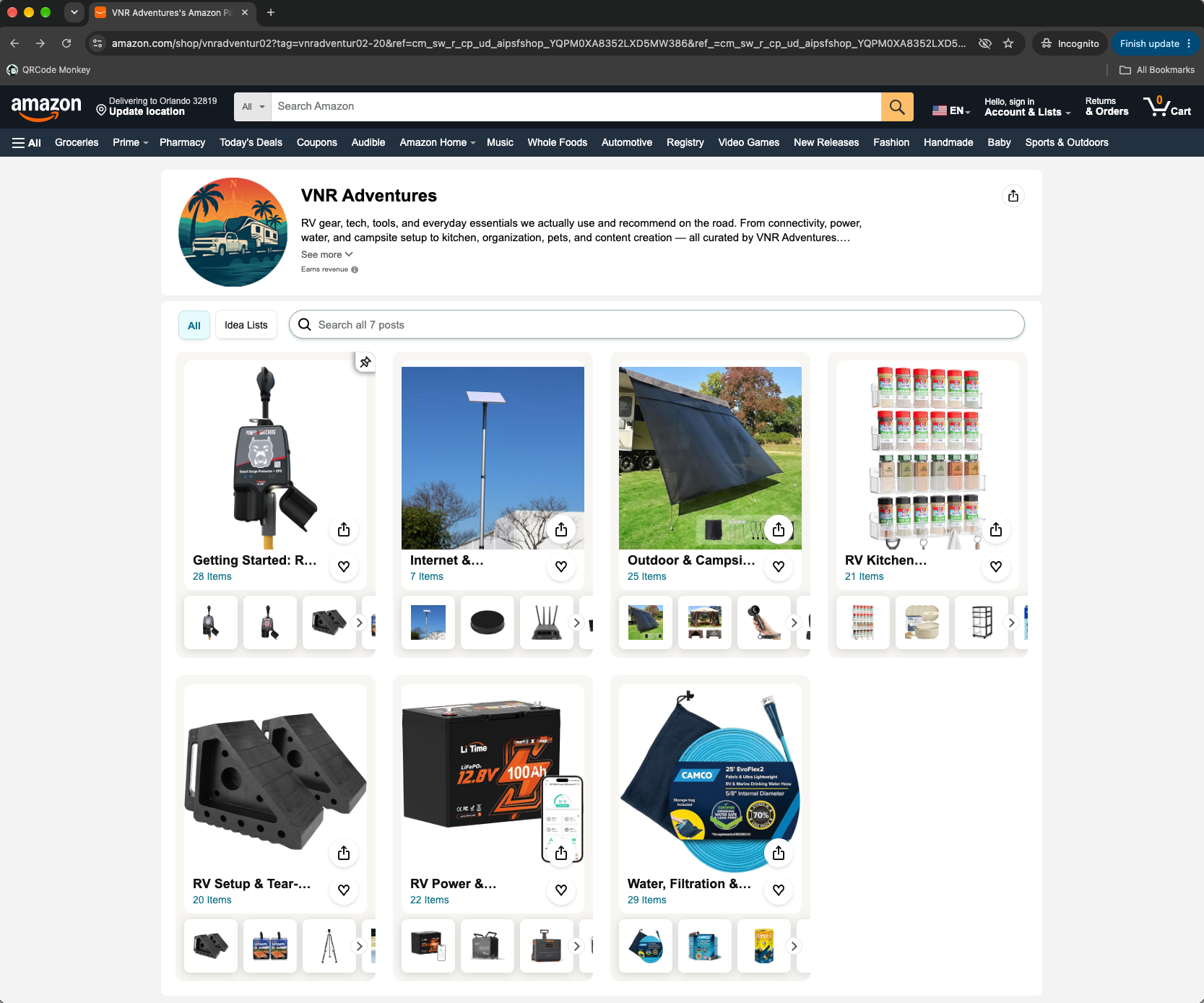
We'll continue adding products and new lists as we discover things worth sharing.
Affiliate Disclosure: Some links in this article may be affiliate links. If you purchase through one of these links, we may earn a small commission at no additional cost to you. We only recommend products we use, have experience with or genuinely believe could be useful to other RVers. Your support helps us continue sharing our travels, experiences and life on the road.
This post is part of our RV Life 101 series — a beginner-friendly guide to the essentials of RV living.
👉 See all RV Life 101 posts here